All features

Importing

Your statements.
One organised view.

Bring your file’s transactions into Ratio. Reading happens in the browser: choose columns, check amounts and confirm when everything looks right.

Free plan · €0 · No card required

Text-based PDF processed in the browser: headers, columns and recognised rows.

Text-based PDF processed in the browser: headers, columns and recognised rows.

Real screens from the public demo. These views illustrate the product; Free availability and quotas are summarised at the bottom of this page.

In practice

From a document to useful transactions.

A monthly statement, a new account or several files to bring together: importing is your starting point for understanding your habits.

01

Read the document on your device.

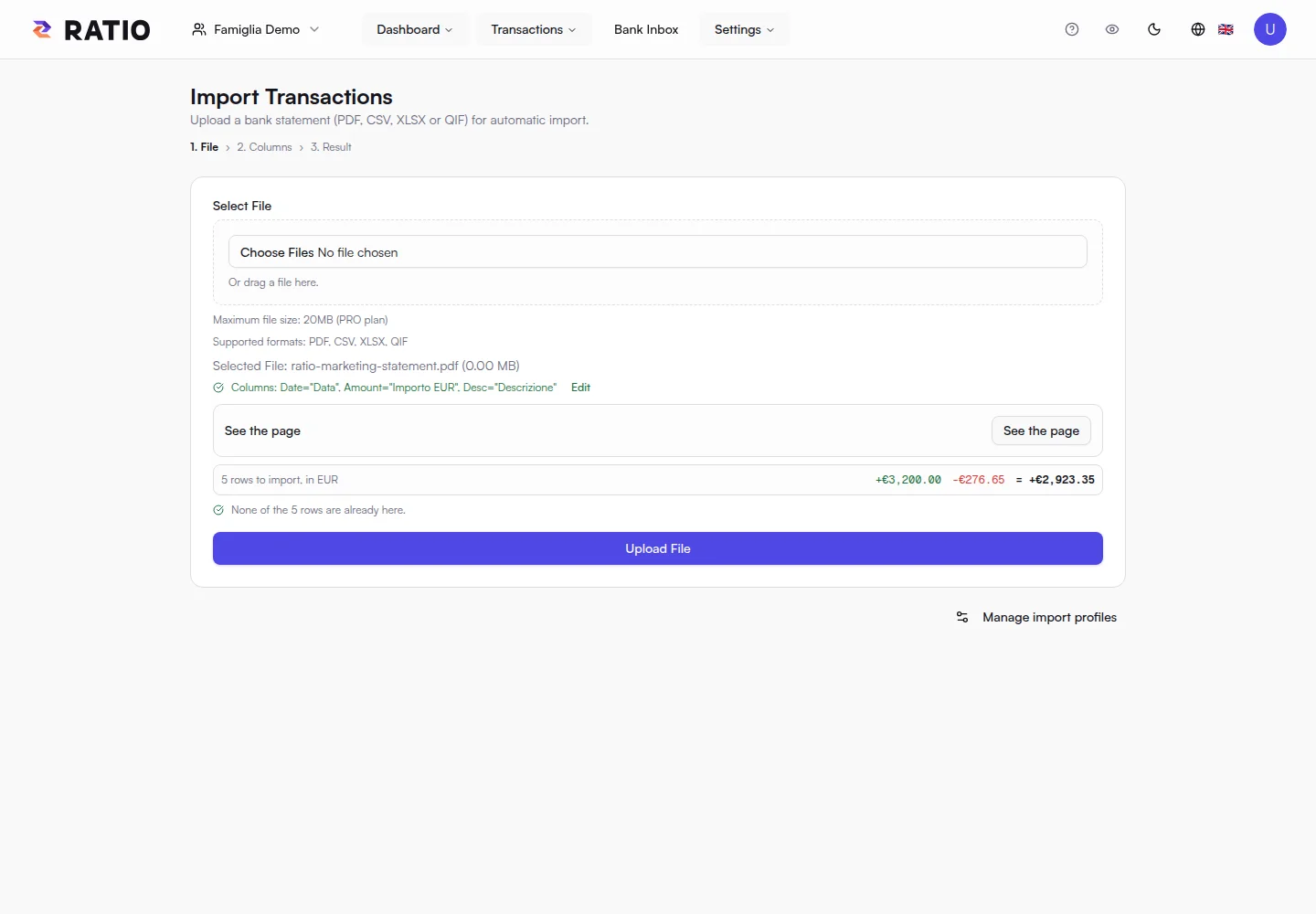
Ratio reads compatible text-based PDF, CSV, XLSX and QIF files in the browser. Free supports files up to 5 MB, enough for many personal statements.

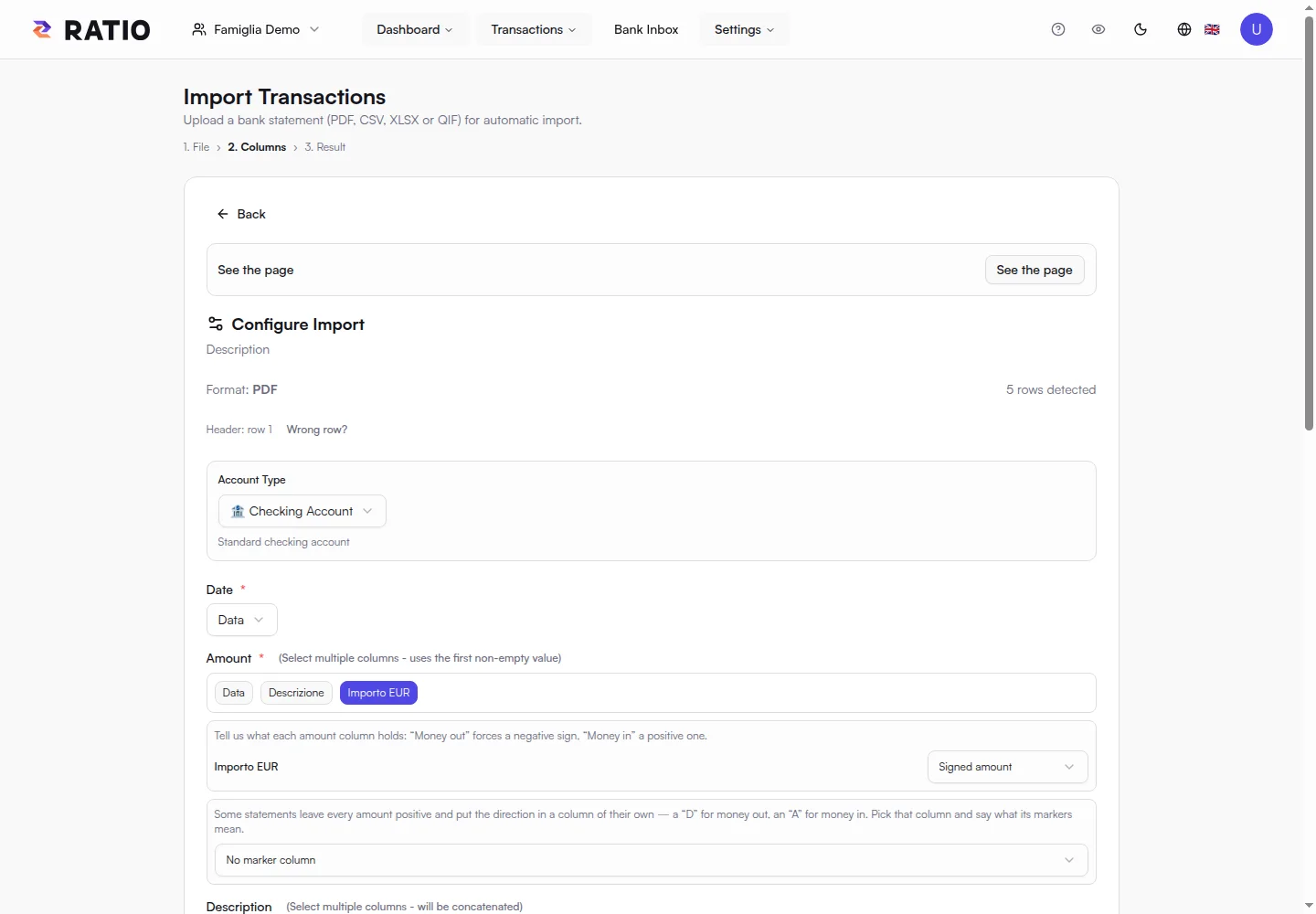
Column layout matters for PDFs. The configuration view lets you check dates, descriptions and amounts against the document before proceeding.

02

Check before confirming.

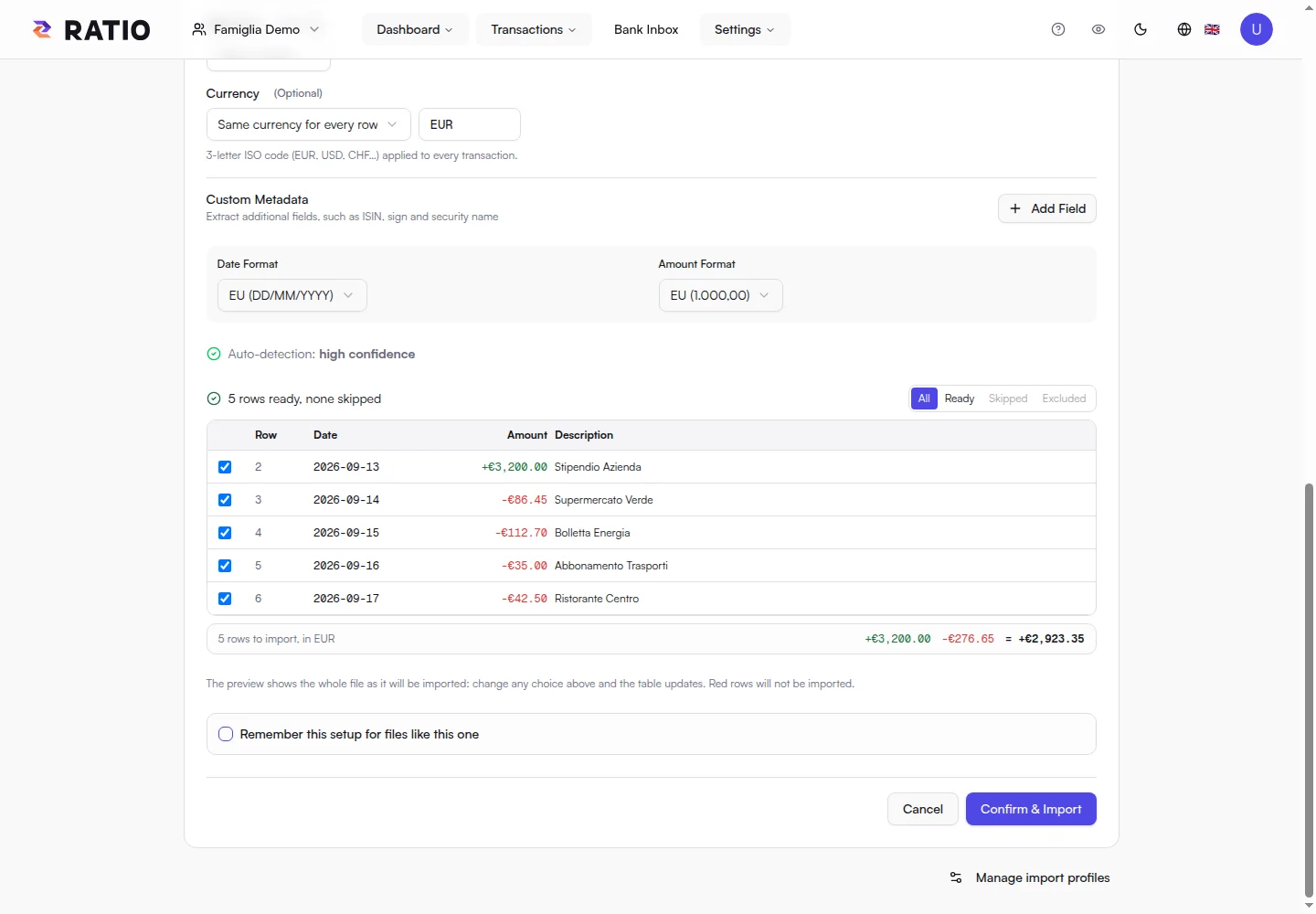
Automatic reading is useful when you can verify it. The preview lets you check amount signs and match extracted transactions to your statement.

Choose the correct account and review recognised rows. Only the final confirmation saves transactions to your workspace, after encrypting financial data.

03

Build your history.

Import subsequent statements and browse your transactions in one interface. Personal rules help keep categories and descriptions consistent.

Encrypted history remains stored. Free search and statistics cover the most recent 18 months, keeping your recent habits in focus.

Your next step

From a file to your dashboard.

  1. 01

    Choose a compatible statement.

  2. 02

    Check columns, dates and amounts in the preview.

  3. 03

    Confirm transactions and start exploring.

Ratio Free

Start with what matters.

Import your statements or link up to two accounts through your local Bank Connector, then see where your money goes.

Start for free
  • 1 personal or family workspace
  • Local import of compatible text PDFs, CSV and XLSX files, up to 5 MB per file
  • Classification rules, transaction search and editing
  • Dashboard and charts for income, expenses and categories
  • Financial data encrypted on your device before storage
  • Bank Connector for up to 2 accounts linked from your local daemon
  • One Local AI device for private analysis
  • Encrypted history retained with no time limit (search and statistics cover the latest 18 months)

Your encrypted history stays stored without a time limit, while Free search and statistics focus on the latest 18 months.