Your finances. Your space.
Less chaos.
More clarity.
Turn your statements into a clear view of income and spending. With your own rules, meaningful insights and privacy built in from the start.
Free plan · €0 · No card required
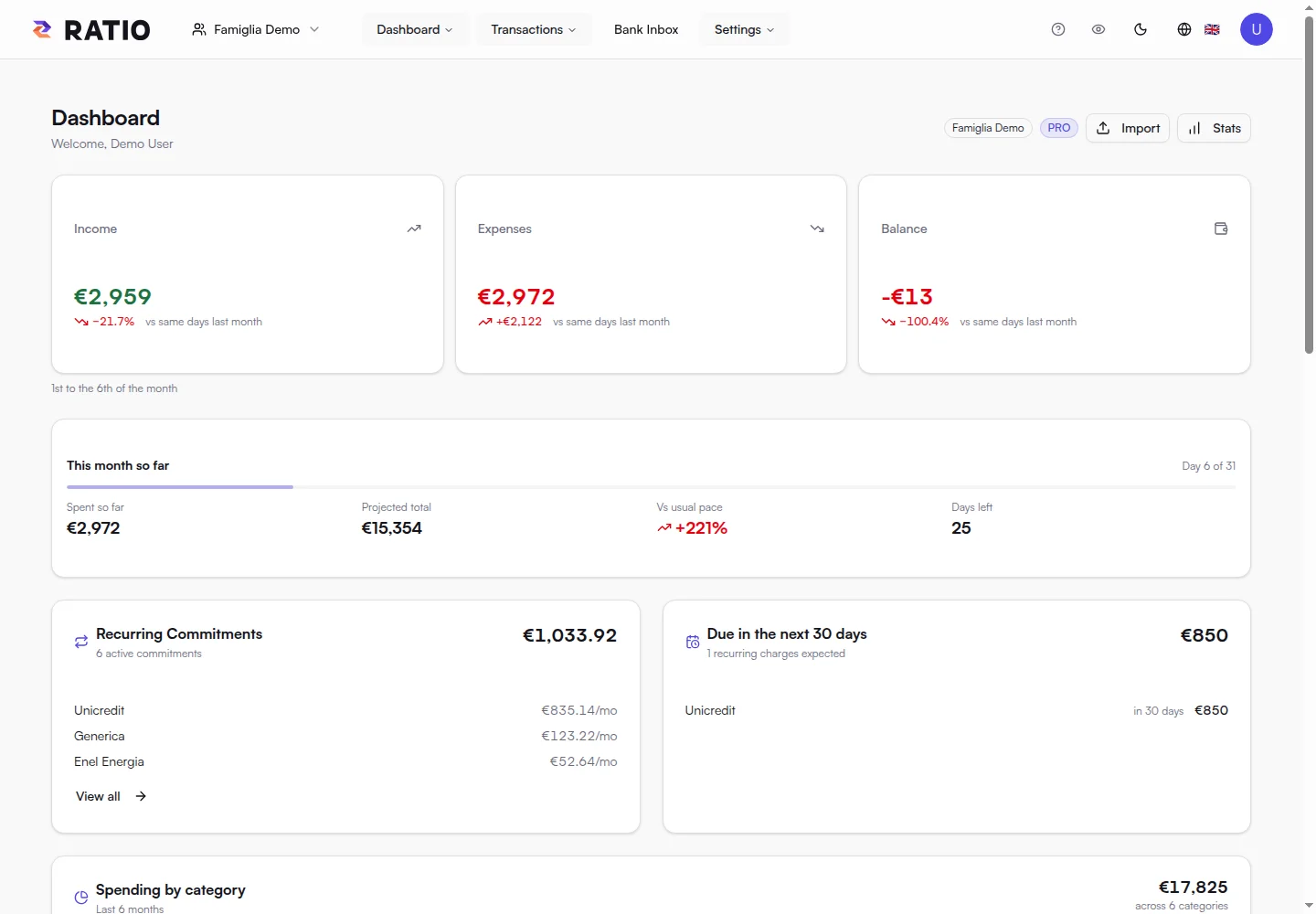
Screens from Ratio’s public demo, showcasing Free and advanced features. See the Free plan details below.
From transactions to the bigger picture
Every transaction tells a story.
Ratio brings your data together to help you understand your habits. Scroll to see your money from a fresh perspective.
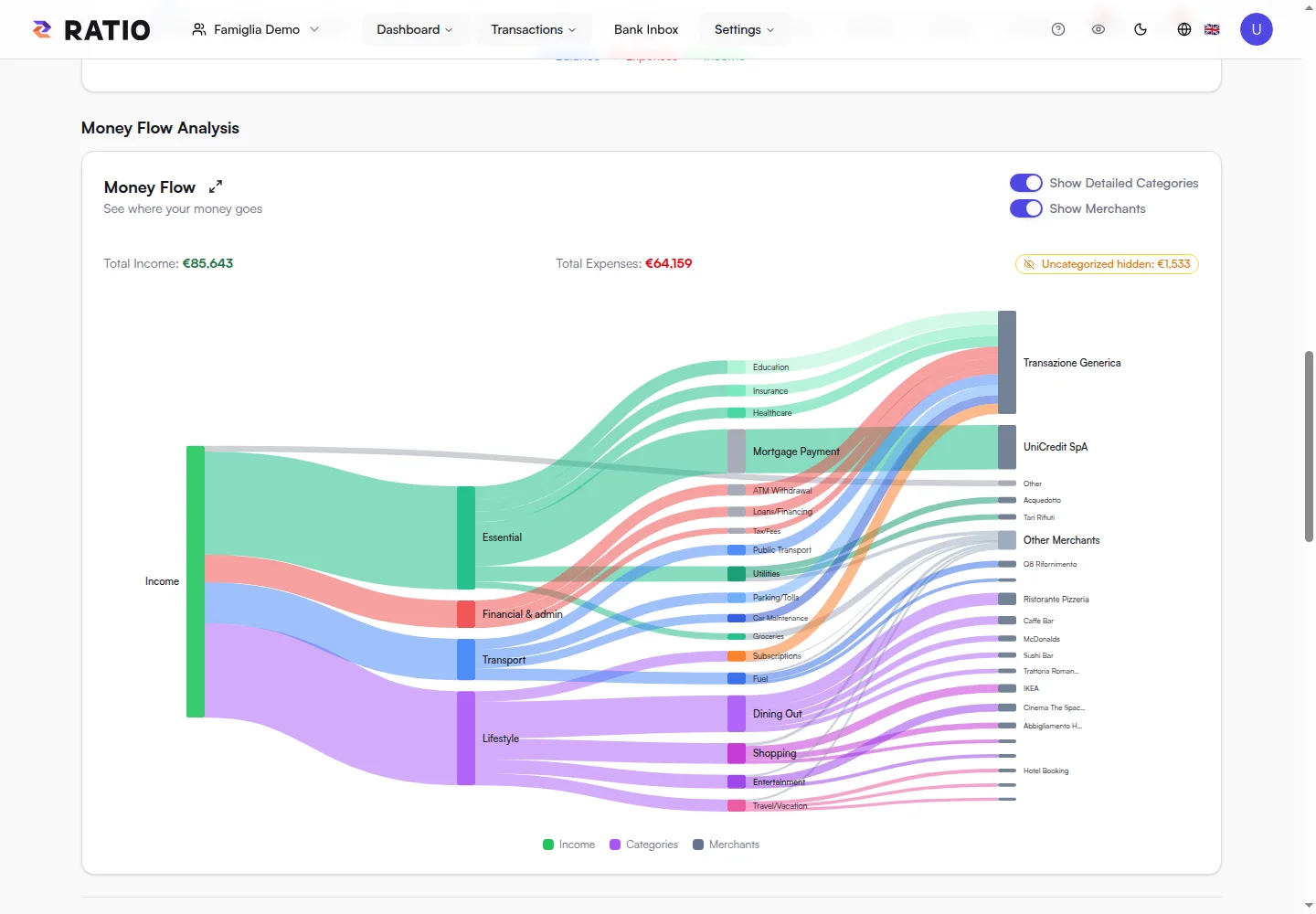
Follow the path of your money.
The flow chart connects income, spending and categories. One overview to see where your spending goes.
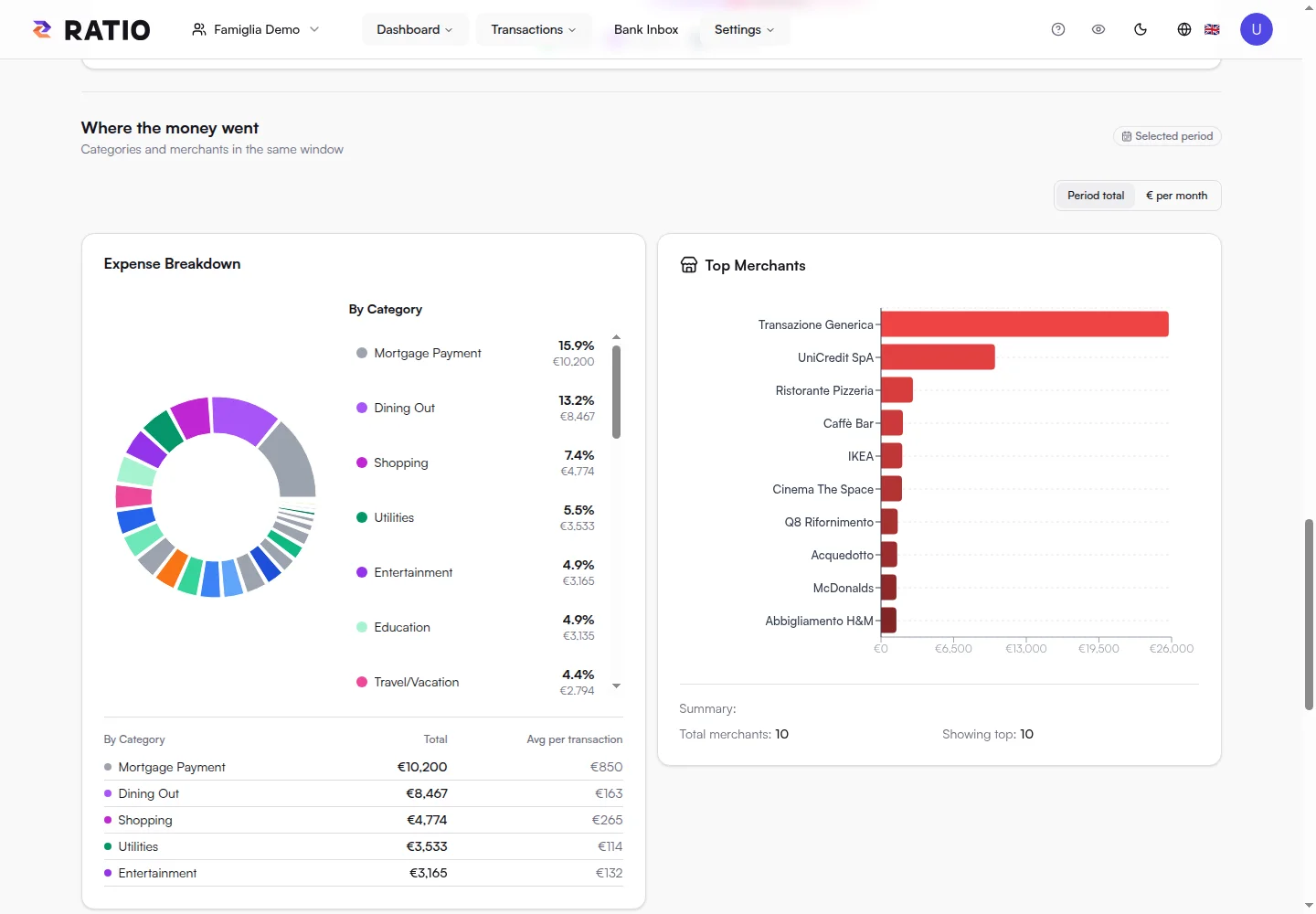
Get to know your habits.
Explore categories and merchants, compare spending and find the items that make the biggest difference to your day.
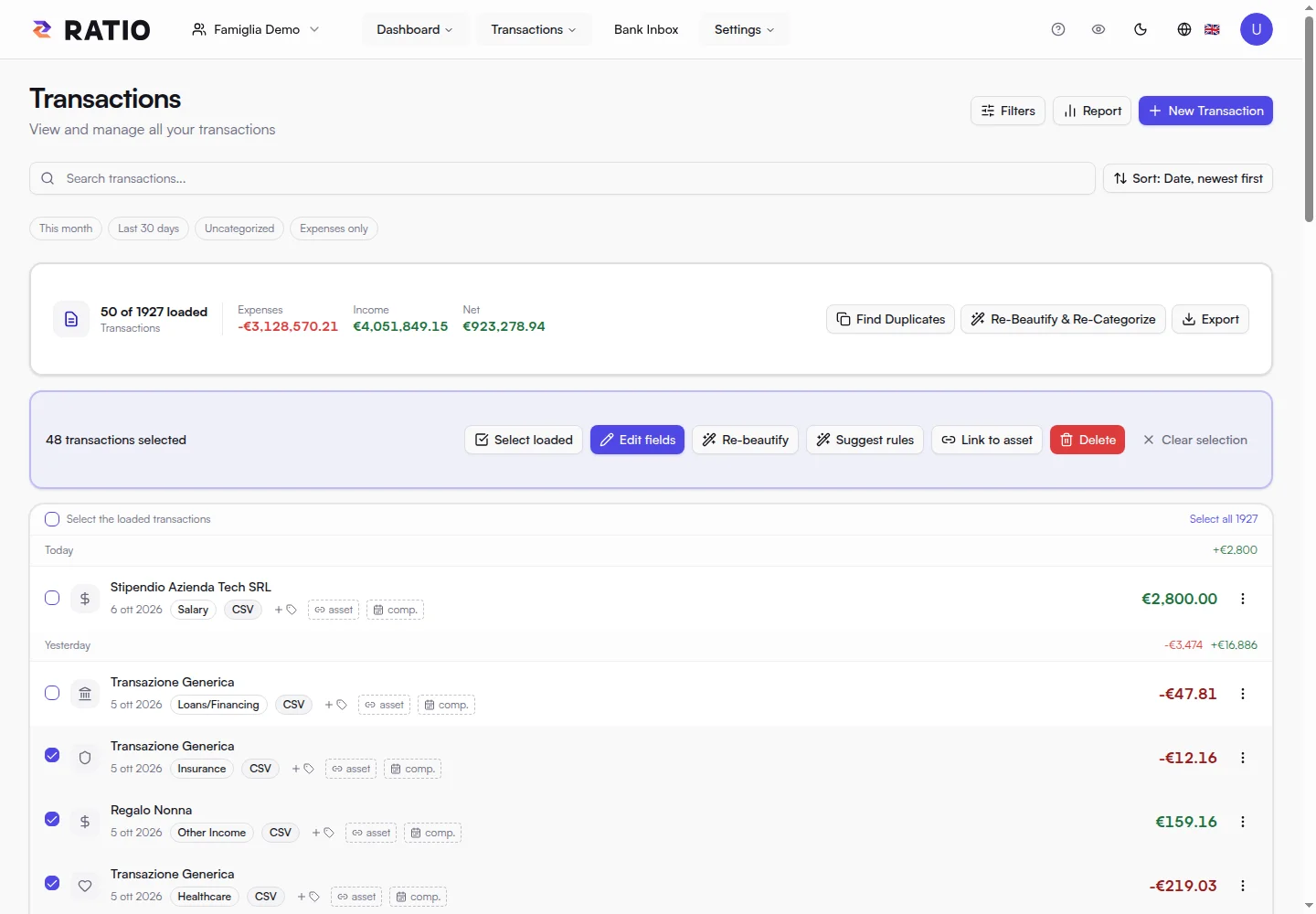
Make every detail count.
Search, select and edit transactions. Categories, tags and accrual periods give your data the context it deserves.
Scroll to explore · On mobile, swipe the screens sideways
Tools that make life simpler
Less work. More understanding.
Start with the data you already have. Build a system around your habits, from your first import to your monthly reviews.
Your statement. Your starting point.
Import compatible text PDFs, CSV and XLSX files in your browser. Review the preview and bring your transactions into your workspace.
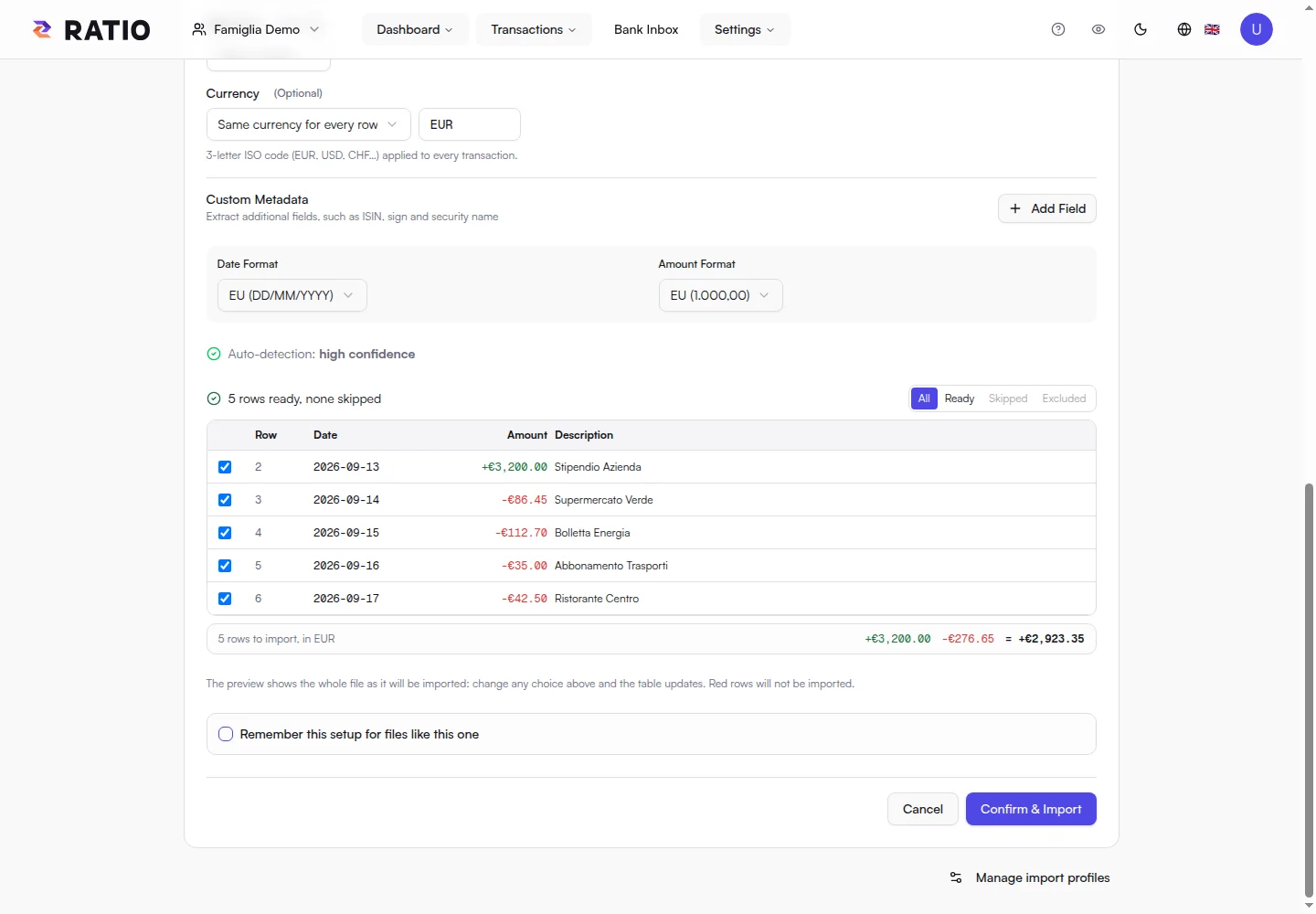
Your rules. Your kind of order.
Define how to classify transactions: conditions on descriptions, amounts and other fields become consistent categories and associations.
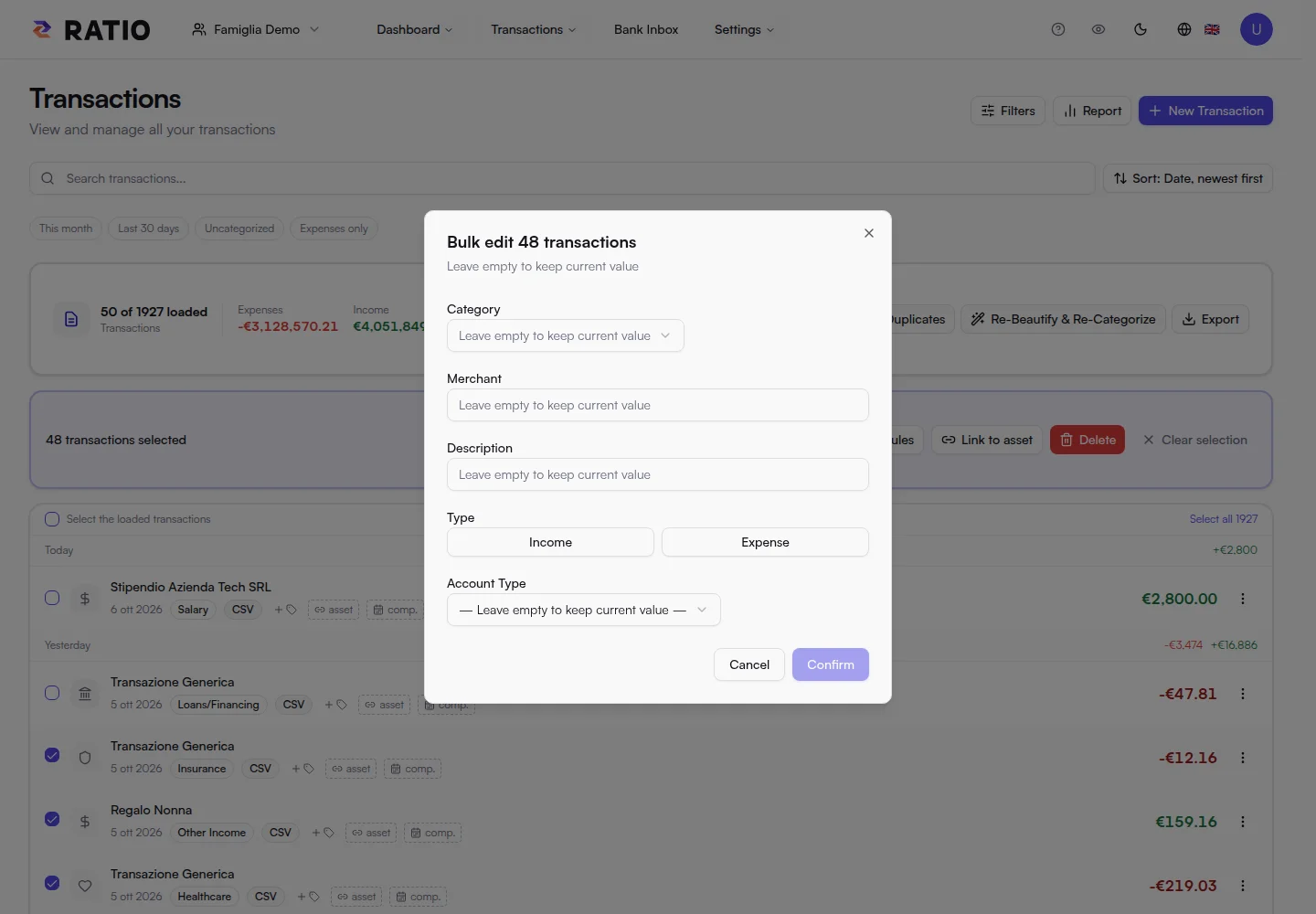
One action. Many details in order.
Select multiple transactions and update categories, tags or metadata together. Accrual periods help spread spending over time.
Your space. Where you need it.
Access Ratio in your desktop or smartphone browser. Editing and synchronization take place while you are connected.
Explore all featuresZERO-KNOWLEDGE
Privacy is part of the design.
Zero-Knowledge means designing around your data: financial information is encrypted on your device before it is stored.
Encryption starts with you.
Your browser protects financial fields with AES-256-GCM. Descriptions, amounts and categories are sent in encrypted form for storage.
Your history stays encrypted.
Ratio stores encrypted financial data and the metadata needed to run the service. Your device decrypts the data for search and analysis.
The key is personal.
Your password unlocks the encryption keys. The recovery code you receive at registration lets you restore access: keep it somewhere safe.
Our philosophy is client-first: imports, rules and analysis run on your device. Technology helps you find clarity, while decisions about your data stay in your hands.
Explore security and data handlingBANK CONNECTOR
Your account. In your space.
Bank Connector is a program you install on your own device. Link supported accounts and bring transactions into your Ratio inbox, ready to organize.
- Runs on the computer or local server you choose
- Up to 2 linked accounts on the Free plan
- Import and rules continue in your workspace
LOCAL AI · MCP
Your AI. Your choice.
Bring AI into your workflow with Ratio MCP, the connector you install locally. You choose the model and where your data is processed.
“Which categories account for most of my spending this month?”
The connection runs through your AI client configured with MCP. The authorized device reads and decrypts your data for analysis.
Connect your device.
Install Ratio MCP and authorize access to your workspace. The Free plan includes one Local AI device for your analysis.
Choose where to think.
Use a local model on your computer to keep analysis in your own environment. You can also configure an external AI service, choosing what data to share under its terms.
Ask questions of your data.
Analyze transactions, compare periods and build workflows on your own device. Questions and results live in the AI client you configure.
Your starting point
It all starts with clarity.
One personal or family space, your transactions and the tools to understand them. Start with Ratio Free.
- 1 personal or family workspace
- Local import of compatible text PDFs, CSV and XLSX files, up to 5 MB per file
- Classification rules, transaction search and editing
- Dashboard and charts for income, expenses and categories
- Financial data encrypted on your device before storage
- Bank Connector for up to 2 accounts linked from your local daemon
- One Local AI device for private analysis
- Encrypted history retained with no time limit (search and statistics cover the latest 18 months)
Your encrypted history stays stored without a time limit, while Free search and statistics focus on the latest 18 months.